
Transform your screen recordings into stunning product demos with Eazy Studio.
Professional screen videos with zoom effects,smooth animations,
custom censoring, and beautiful backgrounds.
Works on Windows, Mac & Linux • No download needed • 100% free
during beta.
Powerful features, simply designed.
Everything you need to transform your screen recordings into professional videos.
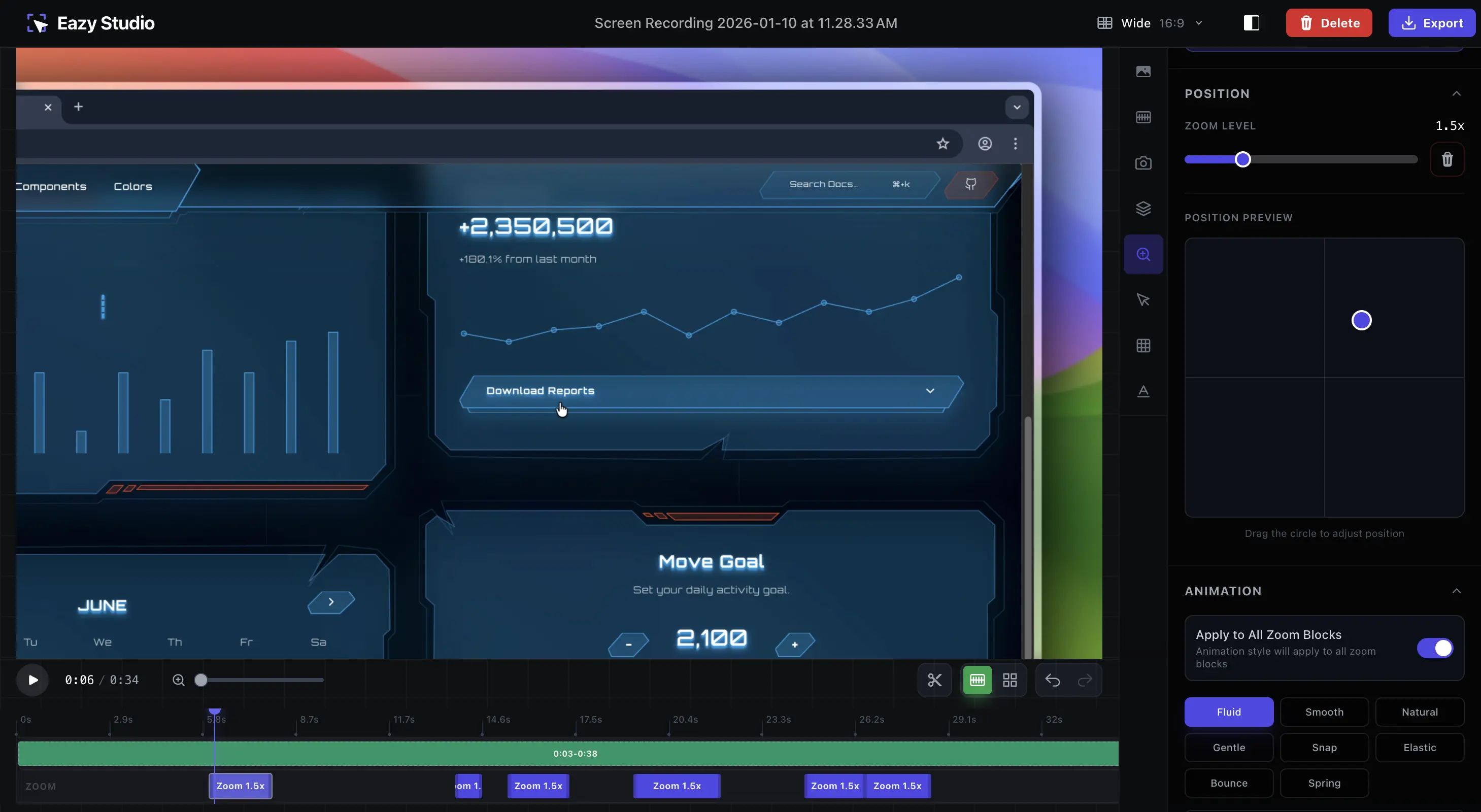
Zoom
Add zoom effects and transitions to focus on important areas and create engaging dynamic content.
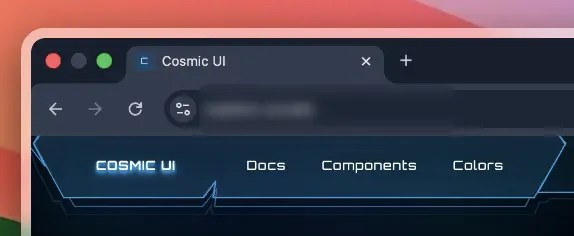
Smart Censoring
Blur sensitive data instantly.
Camera Overlay
Add your face to the demo.
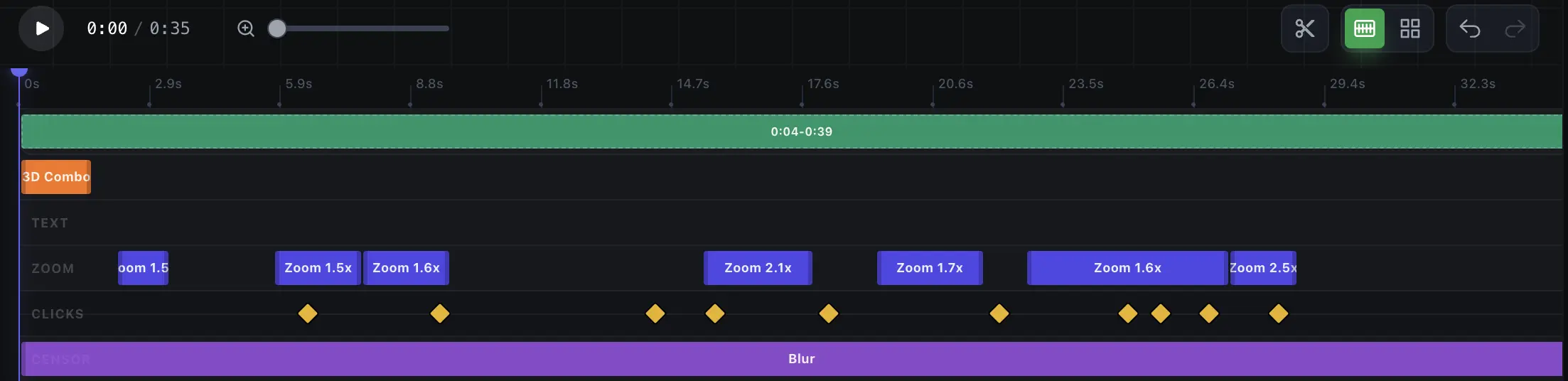
Timeline Editor
Customize your edits with full control and precision.
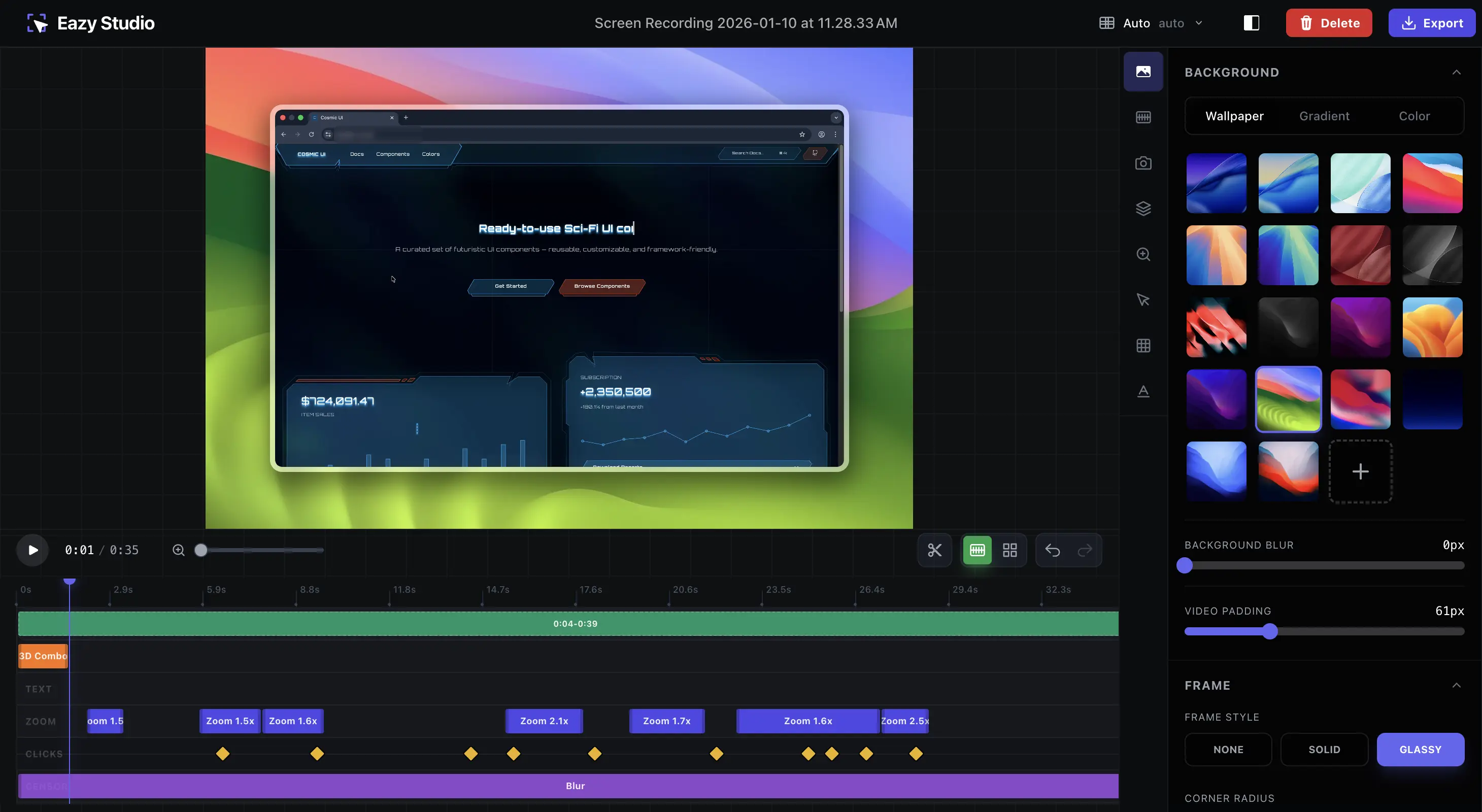
Intuitive editor, powerful results.
Everything you need in one beautiful interface. Zoom, blur, text, animations, and more at your fingertips.
Frequently Asked Questions
Find answers to common questions about Eazy Studio and how it compares to other screen recording tools.
Yes, Eazy Studio is completely free to use during our beta period, and there are no watermarks on exports. You can use videos created with Eazy Studio for any purpose, including commercial projects, product demos, and marketing content.
While Screen Studio is a high-quality macOS-only tool at $29/month, Eazy Studio offers a better value proposition:
- Price: Eazy Studio is free; Screen Studio is $29/month
- Platform: Eazy Studio works on Windows, Mac, and Linux; Screen Studio is Mac-only
- Installation: Eazy Studio requires no download; Screen Studio requires installation
- Privacy: Eazy Studio processes videos locally; Screen Studio uploads data
- Features: Both offer zoom effects, animations, and professional editing capabilities
Each tool has different strengths. Loom is cloud-based for team collaboration, OBS is for live streaming, but Eazy Studio specializes in creating beautiful, polished screen recordings with professional editing. It's the best choice if you need a simple, free video editor with stunning results and no learning curve.
Yes! Since Eazy Studio runs in your web browser, it works on Windows 10+, macOS 10.15+, and Linux. No platform lock-in like Screen Studio. Use the same tool and workflow across all your devices.
Absolutely safe. All video processing happens locally in your browser using WebCodecs and GPU acceleration. Your videos never upload to our servers. You maintain complete control over your content and data privacy.
Absolutely. Eazy Studio is perfect for:
- Product demo videos and launch videos
- Tutorial and how-to videos
- Course creation and educational content
- Software demos and feature walkthroughs
- Marketing and promotional videos
- Social media content (TikTok, Instagram, YouTube Shorts)
- SaaS product videos and explainers
Currently, Eazy Studio supports manual zoom effects where you have full control over zoom levels and timing. This gives you precision and customization. We're working on AI-powered automatic zoom detection based on cursor movements, which may be added in future releases.
Eazy Studio supports multiple aspect ratios to fit any platform:
- Auto - Automatically adjusts to your content
- Wide (16:9) - Standard desktop and YouTube format
- Vertical (9:16) - Perfect for TikTok, Instagram Reels, and Stories
- Square (1:1) - Great for Instagram posts and Twitter
- Classic (4:3) - Traditional video format
- Tall (3:4) - Mobile-optimized vertical format
- Export up to 4K resolution - Professional quality output
Eazy Studio is a powerful screen recording video editor. Here's what you can do:
- Upload and edit pre-recorded videos (MP4, WebM, etc.)
- Add zoom effects with smooth animations and easing
- Add click sound effects to mouse actions
- Blur or pixelate sensitive areas (smart censoring)
- Customize backgrounds, borders, frames, and shadows
- Add text overlays and motion effects
- Apply professional animations and transitions
- Trim, cut, and rearrange video segments
- Adjust playback speed and timing
- Export to MP4, WebM, or GIF formats
- Camera overlay support (coming soon)
Eazy Studio works in any modern browser. Here's what you need:
- Operating System: Windows 10+, macOS 10.15+, or Linux
- Browser: Chrome, Firefox, Safari, or Edge (latest versions recommended)
- RAM: 4GB minimum (8GB+ recommended for smooth exports)
- GPU: Optional but recommended for faster video encoding
- Storage: 500MB free space for the app, plus 2-10GB for video exports
Export time depends on your computer and video quality:
- Basic (480p): 2-5 minutes per 1-minute video
- Smooth (720p): 1-2 minutes per 1-minute video
- Professional (1080p+): 30 seconds to 1 minute per 1-minute video
- Mac M1/M2 with GPU: 10-30 seconds per 1-minute video
Modern computers with dedicated graphics cards (NVIDIA, AMD) and Mac M1/M2 chips export significantly faster. WebCodecs GPU acceleration makes a huge difference.
Video export is demanding. If you experience slow exports or freezing:
- Close other browser tabs and applications to free up RAM
- Try exporting at a lower resolution (480p or 720p)
- Use a modern browser (Chrome or Firefox work best for WebCodecs support)
- Check that your device has at least 8GB of RAM available
- On older laptops, reduce video length or lower the bitrate
- Enable hardware acceleration in your browser settings
Eazy Studio detects your device's performance and can automatically suggest compatible settings. Browser-based processing avoids the bloat of desktop apps while maintaining professional quality.